
PayYaar vs Tricount: A Real Look at What You Get for Free
So you're stuck choosing between PayYaar and Tricount for splitting bills with roommates, friends, or whoever keeps "forgetting" to pay you back. Fair enough. But before you download either one, forget the shiny feature lists on their marketing pages. What actually matters is what you get on the free tier, how the splitting genuinely works, and whether any of that AI stuff is real or just buzzword filler.
I want to be straight with you about something before we get going. This whole piece is built from verified, publicly available material, and here's the awkward part: I didn't have solid first-party info on Tricount's current features, pricing, or AI tools. So rather than pretend I know things I don't, I'll flag those gaps as they come up. What I can walk you through in real detail is PayYaar's own published feature set, which gives you a clear baseline to hold up against whatever you find on Tricount's actual listing.
Table of Contents
- What Is PayYaar?
- What Is Tricount?
- PayYaar vs Tricount: Free-Tier Features Compared
- Group Expense Tools: How Splitting Actually Works
- AI Capabilities: Does Either App Use AI?
- How Do PayYaar and Tricount Handle Settlements?
- Which Free Expense Splitting App Should You Choose?
- Frequently Asked Questions
What Is PayYaar?
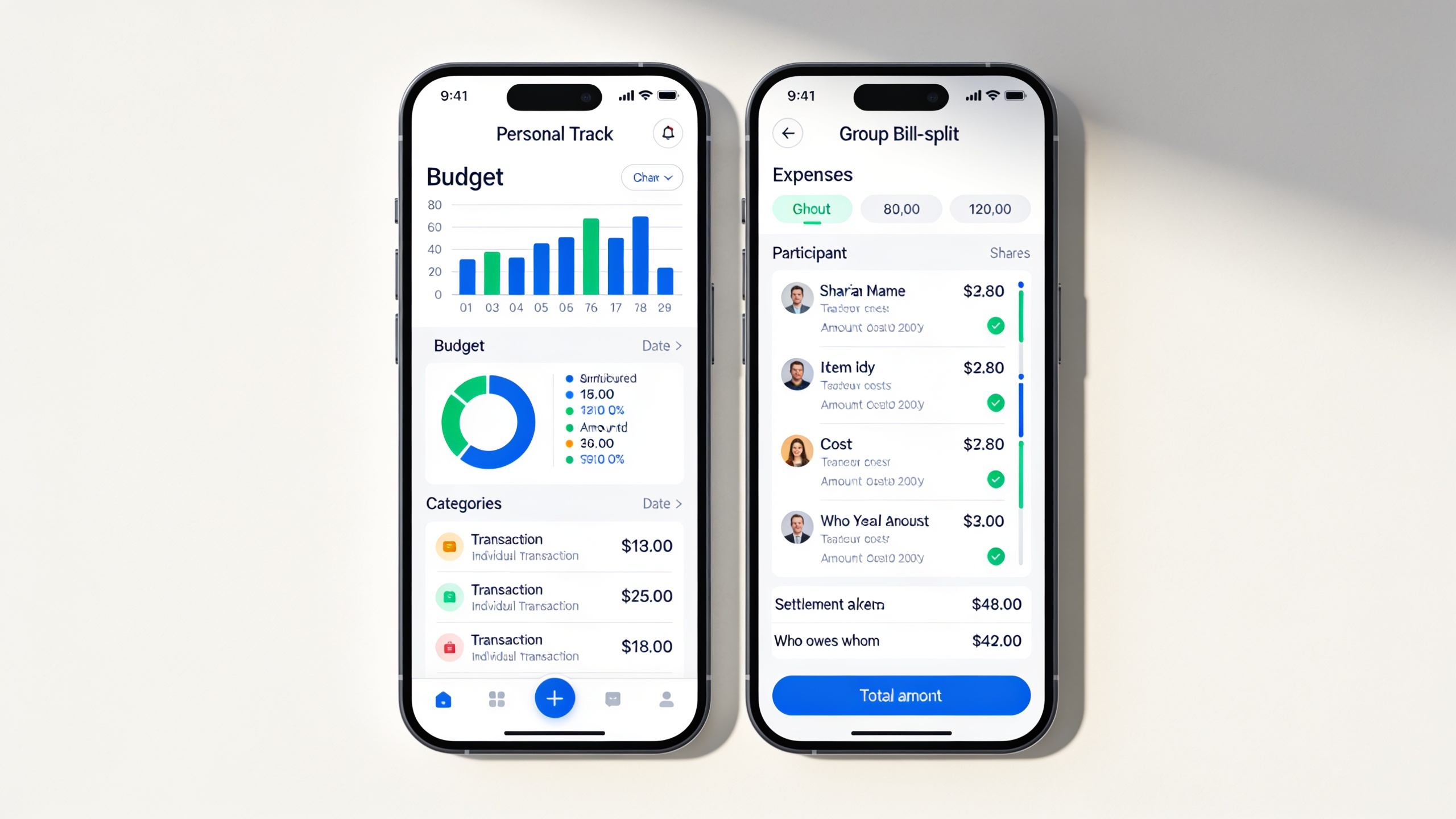
PayYaar is a free, AI-powered expense tracker and bill-splitting app that handles both your personal budget and group spending in one place. In its own words, the app helps you "track personal spending, split group expenses, build AI plans for every group template, settle with UPI helpers, and earn partner cashback as in-app pcoin."
Right now it's free to start on Android, with iOS listed as coming soon. And here's a distinction worth burning into your brain before anything else: PayYaar is not a payment app. It says so flatly. It "is not a bank or wallet" and "does not hold money or process UPI payments itself." When it's time to actually pay someone, it just opens whatever UPI app you already have. PayYaar keeps the books. Your bank app moves the money.
So what do you actually get? A personal expense tracker and group bill splitting bundled into the same app, for starters. Then there's the AI smart capture, which takes text, voice, receipt scans, or even shared text as input. There's a genuinely unusual one called item detection, where you photograph shopping items (groceries, produce, clothes, gadgets) and the app identifies them and estimates local unit market prices near you. PayYaar is upfront that those are estimates, not scanned price tags, which I appreciate. Too many apps oversell that kind of thing.
On top of that you've got the "AI Plan" feature, which builds structured plans for different group templates: Personal, Trip, Home, Couple, Roommates, Office, and Event. Plus the UPI settlement helpers I mentioned, and a rewards layer where partner offers and coupons earn you in-app "pcoin."
That mix of personal tracking, group splitting, AI input, and a rewards system is really what separates PayYaar from a plain bill-splitting calculator. If Tricount isn't the only app on your shortlist, the PayYaar vs Splitwise: Which App Splits Bills Better? breakdown covers a similar head-to-head.
What Is Tricount?
Tricount is a group expense-splitting app that friends, roommates, and travelers use to divide shared costs and keep tabs on who owes whom. If you've ever planned a group trip and someone suggested an app to track the chaos, odds are decent it was this one. It's a recognizable name in the "split the bill" category, especially with the travel crowd.
Now, the honest bit. I didn't have first-party material describing Tricount's current feature list, its free-tier limits, its premium details, or any AI it might have. Which means I'm not going to sit here and tell you whether it does receipt scanning, exactly what's locked behind a paywall, or how its currency conversion works. Guessing at that stuff and getting it wrong helps nobody.
If you're seriously weighing these two, do this: open Tricount's own app store page or website right next to this article and read its current feature descriptions yourself. App features shift constantly, and I'd much rather send you to the source than make something up.
What I can tell you is the shape of the matchup, and honestly that's the most useful part anyway. Tricount is a dedicated group-splitting tool. PayYaar is a wider thing that folds personal tracking, group splitting, AI capture, and cashback into one app. That structural difference is the real lens here, even without a line-by-line audit of Tricount's build.
PayYaar vs Tricount: Free-Tier Features Compared
Best way to see the difference is side by side, with one caveat I'll keep repeating: only PayYaar's column comes from a confirmed, first-party source. The Tricount cells reflect its general reputation as a group-splitting app. The specific free-tier limits aren't in the material I had, so verify those on Tricount's own listing.
| Feature | PayYaar | Tricount |
|---|---|---|
| Cost to start | Free to start on Android (iOS coming soon) | Widely known as a free-to-use group splitting app; specific tier details not stated here |
| Personal expense tracking | Yes — built-in personal tracker alongside group splitting | Not stated in available source material |
| Group bill splitting | Yes — supports templated groups (Trip, Home, Couple, Roommates, Office, Event) | Yes — this is Tricount's core, well-known function |
| AI-assisted expense capture | Yes — text, voice, receipt scan, and shared-text input | Not stated in available source material |
| Shopping item price detection | Yes — photograph items for local unit market-price estimates | Not stated in available source material |
| Structured AI planning per group type | Yes — "AI Plan" for seven group templates | Not stated in available source material |
| Settlement method | Opens your existing UPI app via settlement helpers; PayYaar does not hold funds | Not stated in available source material |
| Cashback or rewards | Yes — partner offers and coupons earn in-app "pcoin" | Not stated in available source material |
| Platform availability | Android now; iOS coming soon | Not stated in available source material |
Don't read that table as "Tricount is missing all this stuff." It's popular for a reason. The point is just that this particular comparison can only vouch for PayYaar with confidence. Treat PayYaar's column as accurate to its own published description, and treat Tricount's column as a jumping-off point for your own digging.
Group Expense Tools: How Splitting Actually Works
Group splitting only works if it matches how your group actually spends, which is why the structure of the tool matters more than the mere fact that it can split things. PayYaar tackles this with group templates instead of one generic "group" bucket.
PayYaar's Template-Based Groups
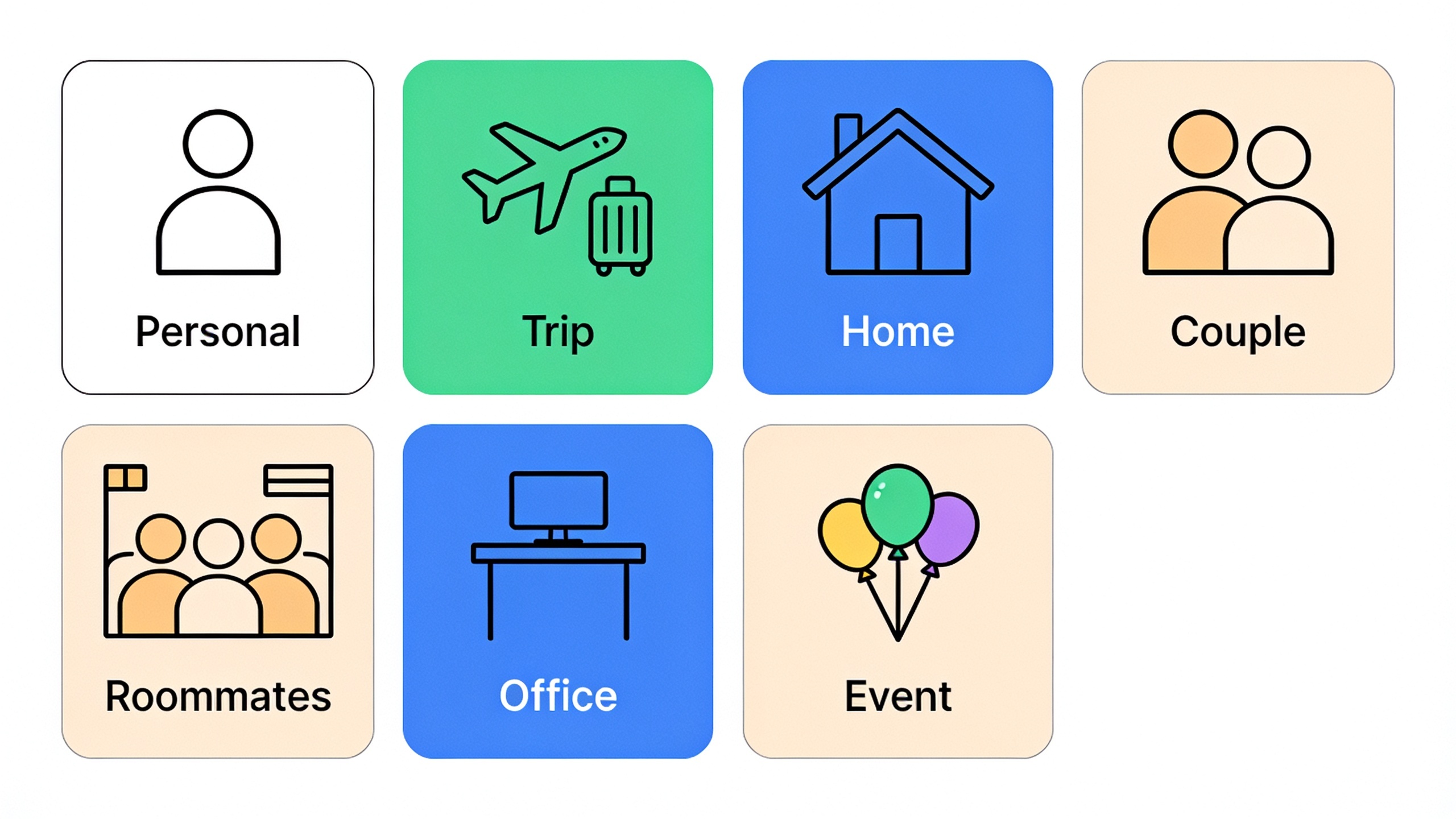
The "AI Plan" feature builds a structured plan around seven templates: Personal, Trip, Home, Couple, Roommates, Office, and Event. And this actually matters more than it sounds. Think about it: a weekend trip with five friends and a shared apartment lease with two roommates are completely different animals. One's a quick burst of costs over a few days. The other is a grinding monthly split of rent and utilities that goes on forever. Lumping both into one "group" workflow is how spreadsheets get abandoned. Templates let the tool bend to the situation instead of the other way around.
Inside any group, the AI smart capture lets people log expenses by text, voice, a receipt scan, or shared text, so nobody has to sit there typing out every line item after a group dinner. Balances update live and stay visible to the whole group, which means no more "wait, who paid for the Uber?" texts at midnight.
Where Item Detection Fits into Group Spending

That item detection feature I mentioned earlier shows up here too. Snap a photo of your shopping haul (groceries, produce, clothes, electronics, whatever) and PayYaar identifies the items and estimates local unit market prices near you. Again, estimates, not scanned tags, and you review the quantity and rate before anything gets added. For a big shared grocery run, that can genuinely save time on itemizing a receipt. Just don't expect barcode-level precision. It's a convenience thing, not a price-matching engine.
Still not sure whether your household even needs a dedicated app instead of the notes app and a prayer? 5 Signs You Need a Bill-Splitting App Right Now runs through the tells: the recurring "who paid last" arguments, the lost receipts, the ever-growing pile of IOUs nobody's tracking. If two or three of those hit close to home, you already know.
Tricount's Group Splitting Approach
Tricount's core, publicly known function is group expense splitting for shared costs among friends, roommates, or travelers, with running balances inside each group. Beyond that, though? The mechanics (how many groups a free user gets, whether there's a cap on group size, how expenses get categorized, whether there's currency conversion for international trips) just weren't in the material I reviewed. If you've got a multi-currency trip coming up, confirm that stuff on Tricount's current listing before you commit. That's the kind of feature that quietly ruins a trip budget if it's missing.
AI Capabilities: Does Either App Use AI?
PayYaar is built around AI-assisted capture and planning as a core part of its free tier, and I don't have confirmed info on whether Tricount offers anything comparable. This is one of the sharper differences in the whole comparison, mostly because it's the area where PayYaar's own documentation is the most detailed.
PayYaar's AI Smart Capture
The smart capture takes four kinds of input: typed text, voice, a scanned receipt, or shared text (say, forwarding a message that mentions a cost). Instead of making you manually key in every transaction, it's designed to parse those inputs into proper structured expense entries. Pair that with the "AI Plan" feature that tailors a plan to whichever template you picked (Trip, Home, Couple, Roommates, Office, or Event) and you get something that adapts rather than dumping you into a blank generic group.
Item detection leans on AI too. The app processes a photo of a shopping item, works out what it is, and estimates a local unit market price, which you then confirm before it logs. And I'll say it again because it's the kind of honesty I respect: PayYaar frames this as a price estimate, not a verified tag price. If you were hoping for barcode accuracy, adjust your expectations now.
Tricount and AI: What We Don't Know
No AI features for Tricount showed up in the material I had. That is genuinely not the same as saying it doesn't have any. Features change all the time, and a lot of splitting apps have quietly bolted on smart-scan or auto-categorization over the years. I just can't responsibly claim Tricount has, or doesn't have, any specific AI tool. So if AI receipt scanning or voice entry is a dealbreaker for you, the only reliable move is to read Tricount's current app store description or poke around in the app itself.
How Do PayYaar and Tricount Handle Settlements?
PayYaar settles by opening your existing UPI app rather than moving money itself, and this distinction matters more than people realize. It says it plainly: it "is not a bank or wallet" and "does not hold money or process UPI payments itself." The UPI settlement helpers hand the actual payment off to whatever UPI app you've already got. So PayYaar's job stops at calculating balances and smoothing that handoff. It never touches your money.
That's a big deal for anyone who assumed a bill-splitting app works like a digital wallet. It doesn't. PayYaar is a bookkeeping and rewards layer that sits on top of your existing payment methods, not a replacement for them.
For Tricount, I've got nothing confirmed on how settlement works, whether it plugs into specific payment rails, spits out payment links, or just tallies balances for you to sort out manually. Worth checking, because honestly? Settlement friction is usually the thing that decides whether a group ever actually closes out its shared expenses. Everyone's happy to log costs. Nobody wants to be the one chasing the final payment.
Which Free Expense Splitting App Should You Choose?
It comes down to one question: do you want a single app that handles both personal budgeting and group splitting with AI in the mix, or a tighter, group-only tool? Oh, and how much you care about features I couldn't independently verify here.
Going strictly by what's confirmed:
- If you want personal tracking and group splitting in one free app, plus AI capture (text, voice, receipt scan, shared text), templated planning for trips or roommates or couples, and a cashback layer through partner offers, PayYaar's published feature set covers all of it on the free Android tier.
- If you mainly want a well-established, dedicated group-splitting tool and you're fine verifying its current features and free-tier limits yourself, Tricount is a recognizable option worth checking against your own needs. Just know this article can't confirm those specifics for you.
And if you're actually comparing PayYaar to something other than Tricount, the deeper feature and settlement breakdown in PayYaar vs Splitwise: Which App Splits Bills Better? is probably your next click.
Here's my honest read: for a young professional juggling a personal budget alongside shared costs, or a family that wants one app for household money and the occasional group trip, having personal tracking and group splitting in the same free app is a real, practical advantage. That's assuming Tricount's free tier stays focused mostly on group splitting rather than personal budgeting, which lines up with its general public positioning. I just can't hand you a confirmed citation for it.
Frequently Asked Questions
Is PayYaar actually free?
Yeah, it's free to start on Android, per its own product description. iOS is "coming soon." The free tier includes personal expense tracking, group bill splitting, AI smart capture, item detection, the AI Plan group templates, and the UPI settlement helpers.
Does PayYaar hold or process my money?
Nope. It says outright it "is not a bank or wallet" and "does not hold money or process UPI payments itself." Settlements open in your existing UPI app. PayYaar just tracks the balances and smooths the handoff.
Is Tricount free, and does it have a paid tier?
It's generally known as a free group-splitting app, but the specifics about its current free-tier limits or any paid tier weren't in the source material I used here. Check Tricount's own app store listing for pricing before you assume anything.
Which app is better for splitting a group trip?
PayYaar has a dedicated "Trip" template built into its AI Plan, alongside Home, Couple, Roommates, Office, and Event. Tricount is also commonly used for trips, but its specific trip features aren't detailed in what I reviewed, so the fair way to settle it is to test both apps' trip workflows firsthand before your next getaway.
Can I use PayYaar for both personal budgeting and group expenses?
Yes. It combines a personal tracker with group splitting in the same app, per its published feature list, along with AI smart capture and item detection for logging both your own purchases and shared ones.
At the end of it, the choice is really about what you need most: an all-in-one personal-and-group tracker with AI and cashback perks, or a focused group-splitting tool whose current details you go verify yourself. Either way, do the same thing before committing. Open each app's live feature list (including PayYaar's AI Plan and item detection) and see for yourself before you start tracking your next shared expense in it.