
The Hidden Cost of Manual Expense Tracking (And Why AI Basically Fixes It)

You know that Sunday night ritual where you're hunched over a spreadsheet trying to remember what that random $14 charge from three weeks ago was for? Yeah. That's what we're talking about here. Typing receipts into little rows, chasing your roommate for their cut of the electric bill, reconciling a whole trip's worth of group spending by hand... it's not just annoying. It quietly eats hours every month and sneaks errors into your budget that throw the whole thing off.
The upside is that AI receipt scanning and automatic capture tools now do most of this dirty work for you. What used to be a monthly chore is now a five-second thing.
So let me walk through where manual tracking actually falls apart, what it's really costing you (in time and in accuracy), and what changes the second you let software handle the data entry instead of your tired brain at 11 p.m.
Table of Contents
- What Are the Biggest Manual Expense Tracking Problems?
- How Much Time Does Manual Expense Tracking Really Cost You?
- Why Spreadsheets Break Down for Group and Household Expenses
- How Does AI Receipt Scanning Solve Manual Expense Tracking Problems?
- Manual vs. AI-Powered Tracking: A Side-by-Side Comparison
- How PayYaar Uses AI to Eliminate Manual Data Entry
- Getting Started: Moving From Spreadsheets to AI Expense Tracking
- Frequently Asked Questions
What Are the Biggest Manual Expense Tracking Problems?
The big ones are lost receipts, inconsistent categorization, delayed entry, and plain old typos, and they all pile up over weeks until your budget stops reflecting anything close to reality. Manual tracking is basically any setup where a person, not software, has to capture, categorize, and total up your spending. Usually that means a spreadsheet, a notebook, or one of those basic budgeting apps that make you punch in every single line by hand.
The trouble always starts small. A receipt gets crumpled in your pocket or tossed at checkout because "I'll enter it later." And later? Later almost never comes. Or it comes three days after the fact, by which point the amount, the merchant, and honestly the whole reason for the purchase are a blur. Multiply that by every coffee run, grocery trip, and split dinner, and it's really easy for a person or household to be missing 10 to 20% of their actual transactions without even knowing it.
Then there's categorization, which is a slower, sneakier kind of failure. One week "Uber" goes under transportation. The next week it lands under entertainment because, hey, you were headed to a concert. The spreadsheet has no idea. It just does what you tell it. And humans are inconsistent by nature, especially at the end of a long day. Stack that up over a year and you literally can't answer a simple question like "how much did I spend on transportation?" with a straight face.
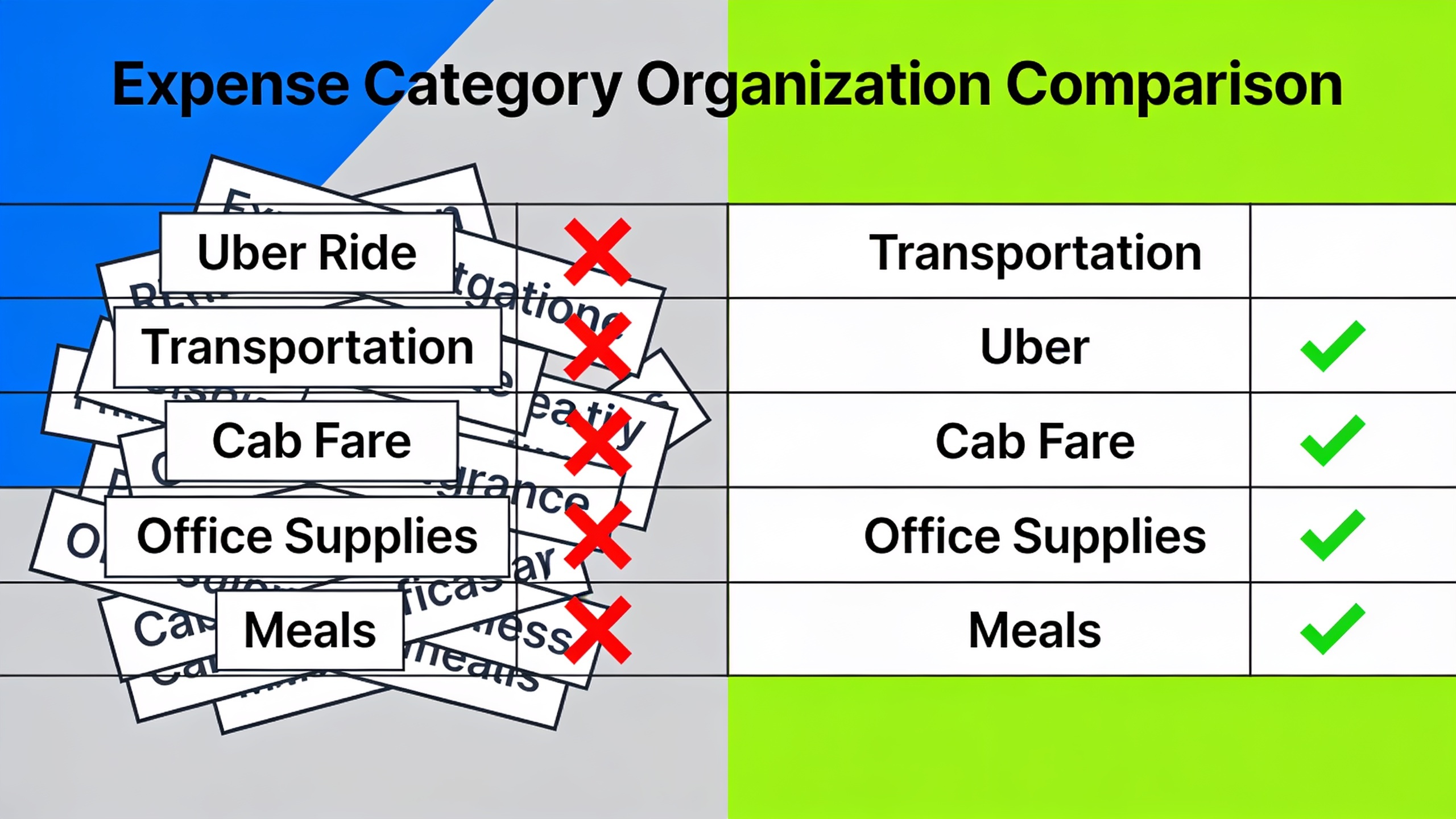
And the math itself is a landmine. Retyping numbers off a receipt into a cell, on a tiny phone screen no less, is basically begging to swap a 6 and a 9, drop a decimal, or double-enter a bill you already split. None of those mistakes wave a flag. They just sit there, quietly poisoning your totals, until one day your bank statement and your spreadsheet disagree and you're stuck playing detective.
How Much Time Does Manual Expense Tracking Really Cost You?
Manual tracking costs you real, recurring time. It's not a one-time setup thing. It's a tax you pay on every single purchase, every week, forever, for as long as you keep doing it by hand. Even a pretty modest "I'll log stuff daily" habit adds up fast: a couple minutes an entry, times dozens of transactions a month, plus those miserable cleanup sessions where you reconcile, re-categorize, and fix the errors you missed the first time around.
Think about everything one entry actually involves. You have to remember the purchase happened at all. Then find the receipt or open your banking app. Then open the spreadsheet or tracker. Then type the merchant. Then the amount. Then pick a category. Then save. And if you're splitting that with roommates or friends? Now you're also calculating everyone's share and firing off messages about it. Do that for a three-person apartment or a six-person trip and your "quick update" is suddenly a whole afternoon.
This is where the hidden cost really bites. It's not one big painful line item. It's the endless little context-switches that yank your attention off whatever you were actually doing. It's the same fragmented-attention thing that gets people when they're trying to focus but keep getting pulled toward their phone, whether that's a group chat blowing up or catching the latest tech rumors over on Newsrum. Every switch has a price, and manual expense tracking is a constant little generator of them.
Oh, and the time cost scales terribly with complexity. Tracking your own solo spending in one spreadsheet? Manageable. Annoying, but manageable. Now try tracking a shared household budget, a group trip's pooled cash, and your personal spending all at once with the same manual method. It multiplies, because none of it is connected or automated. Every group needs its own reconciliation, and nothing talks to anything else.
Why Spreadsheets Break Down for Group and Household Expenses
Spreadsheets were built for structured, single-user data entry, which is exactly why they fall apart the moment more than one person needs to log, view, or split things in real time. A spreadsheet is a static file. Even a "shared" one. It has no idea who owes whom, no automatic balance math across a group, and no way to tell anyone a new expense got added unless a human manually pings the group chat.
The Roommate Problem
Whenever a few roommates share rent, utilities, and groceries, one poor soul always becomes the unofficial treasurer, tallying who paid for what and figuring out everyone's cut. Works great the first month. By month three you've got forgotten entries, rounding weirdness, and the classic "wait, I thought I already paid you back for that" standoff, because the spreadsheet has no audit trail. No timestamp. No record of who added what, or when.
The Group Trip Problem
Honestly, group trips are the absolute worst case for manual tracking. Expenses fly at you in bulk. A taxi here, a shared meal there, a hotel bill carved six ways, often in a foreign currency, in some spot with garbage Wi-Fi. Nobody is realistically opening a spreadsheet mid-vacation to log a coffee. So they don't. And then everyone gets home and tries to rebuild the entire trip from memory and bank statements, which is exactly where the biggest errors happen, because the receipts are long gone and everyone remembers the numbers a little differently.
The Household Budget Problem
Families running a shared household budget hit the same wall, just stretched over a longer timeline. Recurring bills, random one-offs, that surprise car repair, all of it needs to get logged consistently across weeks and months, usually by more than one person. And if one parent tracks like a hawk while the other tracks... sporadically, the whole budget picture goes wobbly. Not because the family is overspending, but because the tracking method itself is a mess.
How Does AI Receipt Scanning Solve Manual Expense Tracking Problems?
AI receipt scanning fixes the core problem by deleting the typing step entirely. You snap or forward a receipt, and the software reads the merchant, amount, date, and often the category on its own. That's the whole shift right there. Instead of a person squinting at a paper receipt and translating it into a spreadsheet row, a model reads the document directly and fills in the record for you.
How it captures things varies by tool. Some apps let you photograph a physical receipt, then pull out the fields using OCR paired with a language model that actually understands how receipts are laid out. Others do voice, so you just say "twelve dollars for lunch at the deli" and it turns that into a structured expense. A few go even further and can read shared texts or forwarded confirmations, grabbing the details without you touching a keyboard at all.
And the accuracy jump is real, because the software isn't reconstructing anything from memory. It's reading the actual document. A human retyping a receipt three days later is working off a faint memory and a smudged scrap of paper. AI reading that same receipt the second it's captured is working from the source. That "wait, did I get that number right?" anxiety just... goes away.
Categorization gets better too, since these systems can be trained to recognize merchant types and slap the same category rules on things every single time, instead of leaning on a wiped-out human's judgment at midnight. That consistency is what actually makes your long-term reports trustworthy. You can compare month to month because the logic didn't change based on who was entering data or what kind of mood they were in. If you want the deeper mechanics of how this whole category of software works and why it's suddenly a thing, this guide to what an AI expense tracker actually does breaks it down nicely.
Manual vs. AI-Powered Tracking: A Side-by-Side Comparison
Easiest way to see the gap is just to line them up feature by feature. Manual tracking lives and dies on your personal discipline and memory. AI-powered tracking automates the capture step and cuts down how much you have to remember or calculate yourself.
| Aspect | Manual Tracking (Spreadsheet/Notebook) | AI-Powered Tracking |
|---|---|---|
| Data entry method | Typing each transaction by hand | Photo, voice, or text capture read automatically |
| Speed per expense | Several minutes, including finding the receipt | A few seconds to snap and confirm |
| Categorization consistency | Varies by mood, memory, and person entering it | Applied consistently by the same logic every time |
| Error risk | Typos, transposed numbers, forgotten entries | Reduced, since the app reads the source document |
| Group expense splitting | Manual math and messaging required | Calculated automatically within the app |
| Real-time balance visibility | Not available until someone updates the file | Shared and visible to the group as it happens |
| Item-level price detail | Rarely tracked beyond the total receipt amount | Can identify individual shopping items, depending on the tool |
| Best suited for | Very simple, single-person tracking with few transactions | Individuals, roommates, families, and groups with frequent spending |
I'm not saying spreadsheets are flat-out "wrong." If you've got very few transactions and iron discipline about entering them, a spreadsheet is fine. But the second you're splitting bills with roommates, planning a trip, or running a household with a few contributors, the manual column adds friction at basically every step and the AI column strips it out.
How PayYaar Uses AI to Eliminate Manual Data Entry
PayYaar is a free AI-powered expense tracker and bill-splitting app that swaps manual typing for automated capture, so your personal budget and your group expenses both get logged accurately without the usual data-entry slog. It's built specifically for the situations I've been ranting about, solo budgeting, roommate households, group trips, couples, offices, one-off events, rather than being just another spreadsheet clone.
Instead of typing every line, PayYaar's smart capture takes text, voice, receipt scans, and even shared text messages, so you pick whatever fits the moment. Standing in a checkout line? A quick photo beats opening a notes app. In the middle of a conversation and don't want to stop and type? Voice grabs it just as easily.
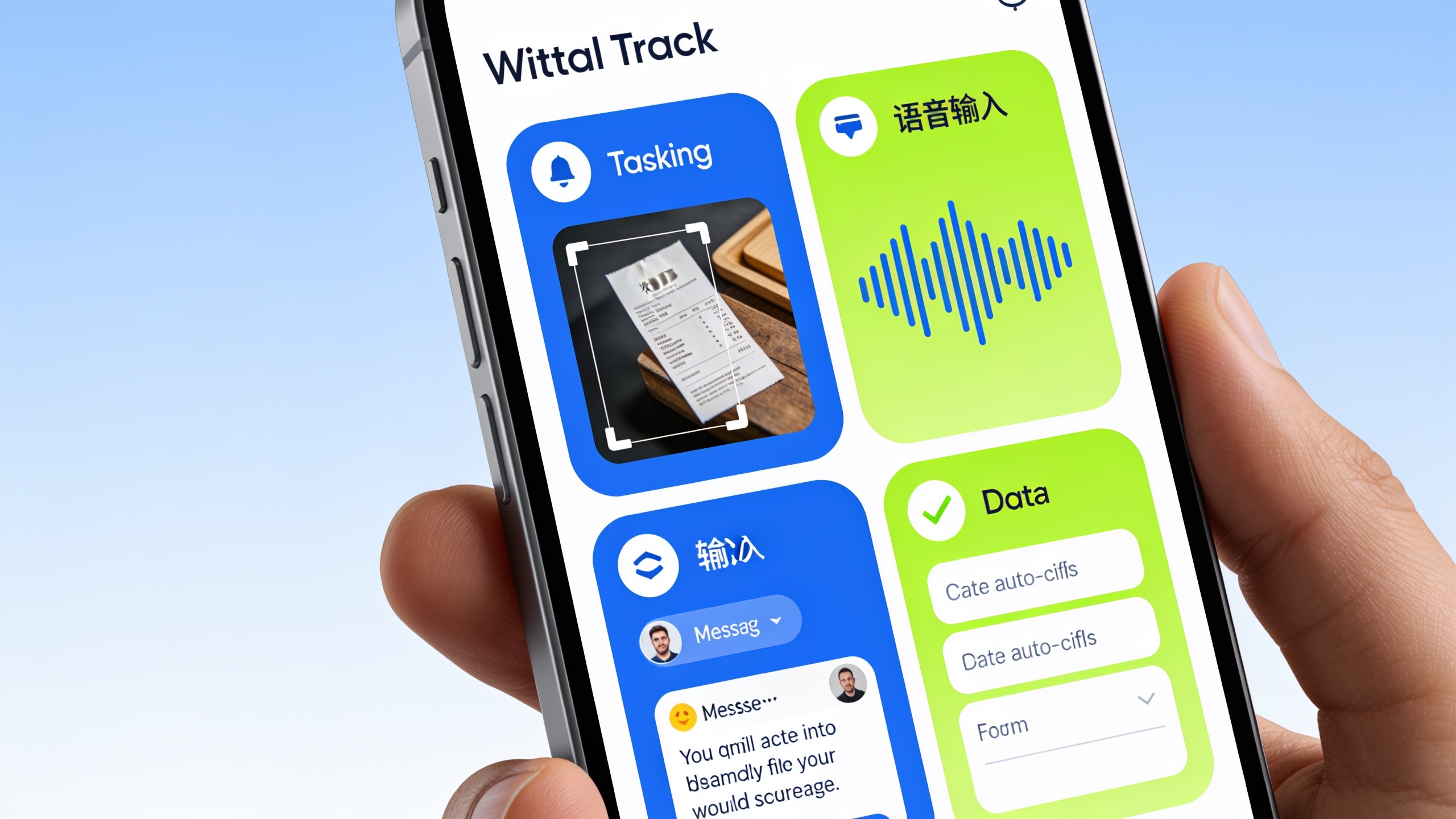
One thing that goes beyond normal receipt scanning is item detection. You can photograph shopping items (groceries, produce, clothes, electronics, whatever) and get estimated local unit market prices for them. Worth being straight about how this actually works, though: PayYaar identifies the items in the photo and estimates nearby market prices, it's not scanning a printed price tag, and you review the quantity and rate before it gets added as an expense. So it's genuinely handy if you want a rough gut-check on whether you're paying a fair local price. Just know the numbers are estimates, not verified store prices.
For groups, there's the AI Plan feature, which builds a structured expense template based on what kind of group you're tracking, Trip, Home, Couple, Roommates, Office, or Event. So the app is already set up to categorize things in a way that makes sense for that specific situation, instead of jamming every group into the same generic layout. Balances update and stay shared live with everyone, which kills the "wait, who owes what again?" guessing game that haunts manually tracked shared money. And when it's time to actually settle up, PayYaar gives you UPI settlement helpers that pop open your existing UPI app to finish the payment. Quick but important note: PayYaar itself isn't a bank or wallet. It doesn't hold your money or process UPI payments directly. It's a bookkeeping and rewards-discovery layer sitting on top of the payment apps you already use.
There are also partner offers, coupons, and a cashback system built on an in-app currency called pcoin, so you get a little incentive stacked on top of the tracking. It's free to start and currently on Android, with iOS "coming soon."
Getting Started: Moving From Spreadsheets to AI Expense Tracking
Switching from a manual spreadsheet to an AI tracker doesn't mean torching your financial history. It just means changing how new expenses get captured from here on out. The move that actually works? Start using the AI tool for all new transactions right away, and keep your old spreadsheet around as a historical archive. Don't waste your life migrating every past entry. Nobody has time for that.
Start With Your Most Annoying Category First
If group expenses are your biggest headache, a shared apartment, a recurring trip fund, whatever, start there. Set up the group, invite everyone, and build the habit of capturing receipts the second a purchase happens instead of hoarding them for "later." That habit of immediate capture is the thing that actually kills the forgotten-receipt problem, because logging drops from minutes down to seconds.
Let the App Categorize, Then Just Spot-Check
Don't sit there manually assigning a category to every purchase. Let the AI do its thing and just review the results now and then. Spot-checking a week's entries takes a few minutes and lets you catch anything weird, without forcing you to make a decision on every single transaction the way manual tracking demands. Big difference.
Use Group Templates Instead of Building From Scratch
If you're juggling a few types of shared spending, a household budget, a trip fund, a personal account, lean on structured templates for each group type rather than one generic spreadsheet tab per thing. A trip's categories look nothing like a household's recurring bills, and template-based setups just handle that for you.
Frequently Asked Questions
Is manual tracking actually that inaccurate, or is it just slow?
Both, honestly. The slowness is the obvious part, but the accuracy issue is arguably worse because it's invisible until your bank statement stops matching your records. Forgotten receipts, sloppy categorization, and dumb typos all chip away at how reliable a manual budget is, even if you're pretty diligent about updating it.
Does AI receipt scanning work with photos of paper receipts, or only digital ones?
Depends on the app, but plenty of AI capture tools, PayYaar's smart capture included, are built to read photographed paper receipts directly, right alongside text and voice input. So no, you're not stuck with digital-only.
Can AI expense tracking actually handle splitting bills between people?
Yep, and it's one of the main reasons to ditch spreadsheets. Apps made for group spending, like PayYaar, calculate everyone's share automatically and share live balances with the group, instead of making one person do the math and message everyone individually.
Is it even worth switching if I only track my own spending?
Even solo, AI capture kills the repetitive typing and keeps your categorization consistent, which makes month-to-month and year-to-year comparisons way more trustworthy. The time savings are smaller than for group use, sure. But they're not nothing.
Does using an AI tracker mean the app can get into my bank account or move my money?
Not necessarily. It comes down to how the specific app is built. PayYaar, for one, is explicitly a bookkeeping and rewards-discovery tool, not a bank or wallet. It doesn't hold your money or process UPI payments itself, and any actual settlement happens through your own existing UPI app.
Here's the annoying thing about manual tracking problems: they never announce themselves. It's a couple missing receipts here, a miscategorized purchase there, and slowly this creeping feeling that your budget doesn't quite line up with reality. Handing the data-entry grind over to AI receipt scanning and smart capture doesn't just buy back your time. It closes the gap between what you actually spent and what your records claim you spent, which, when you think about it, is the entire point of tracking expenses in the first place.